AppPermit is a local firewall and app permission manager for macOS. Manage network rules and file access, and view programs launched by apps alongside recent activity. AI can explain behavior and offer suggestions, with a working mode you choose.
macOS 14+ · Built for Apple Silicon, Intel supported · 7-day full trial · $14.99/yr or $29.99 lifetime
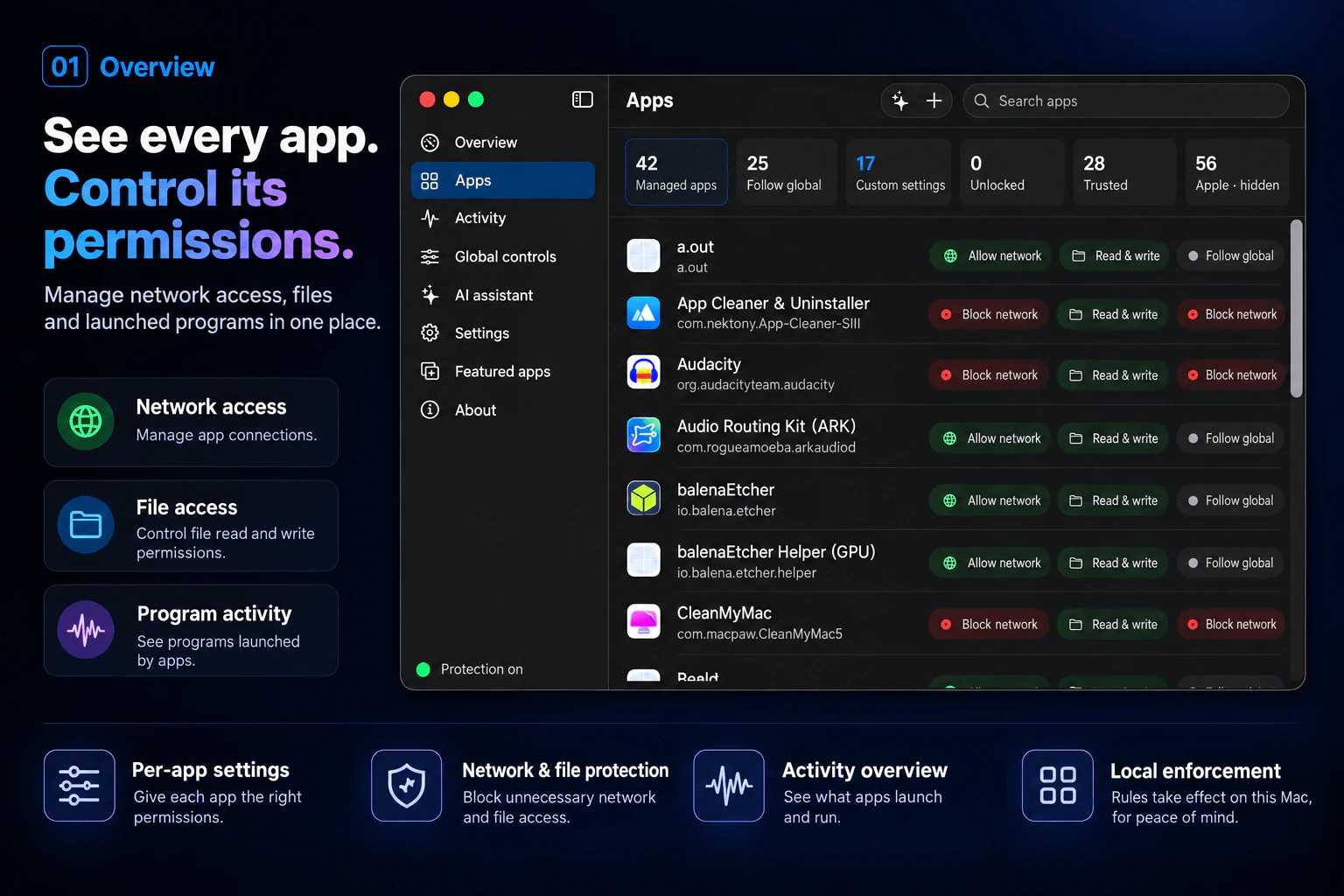
Understand app behavior, from network connections to file access, then set the permissions that fit.
Fine-grained permissions per app, overriding the global defaults.
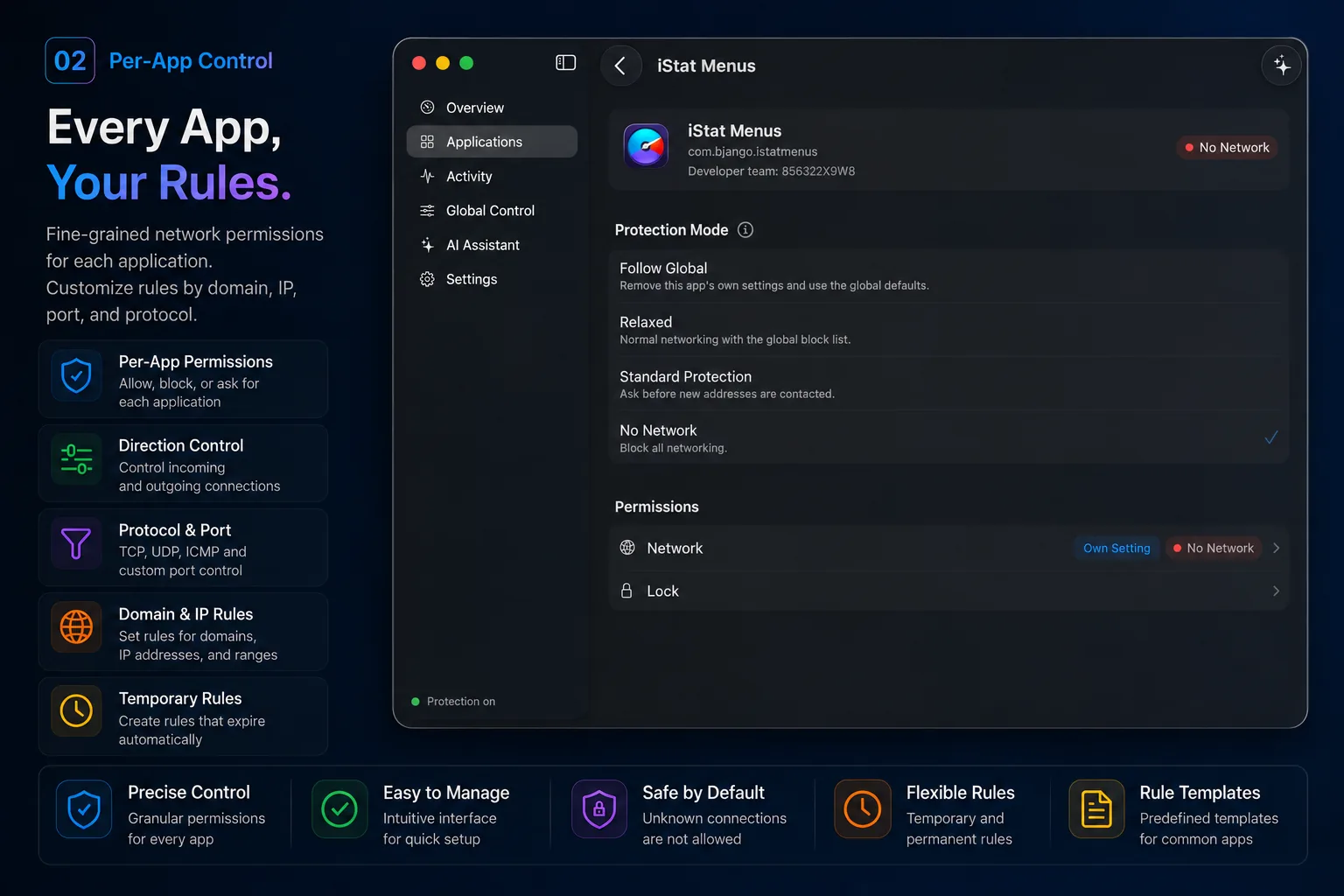
View recent network connections, file operations and program launches by source app, along with their access decisions.
Activity shows recent behavior. Some records may be omitted under heavy load.
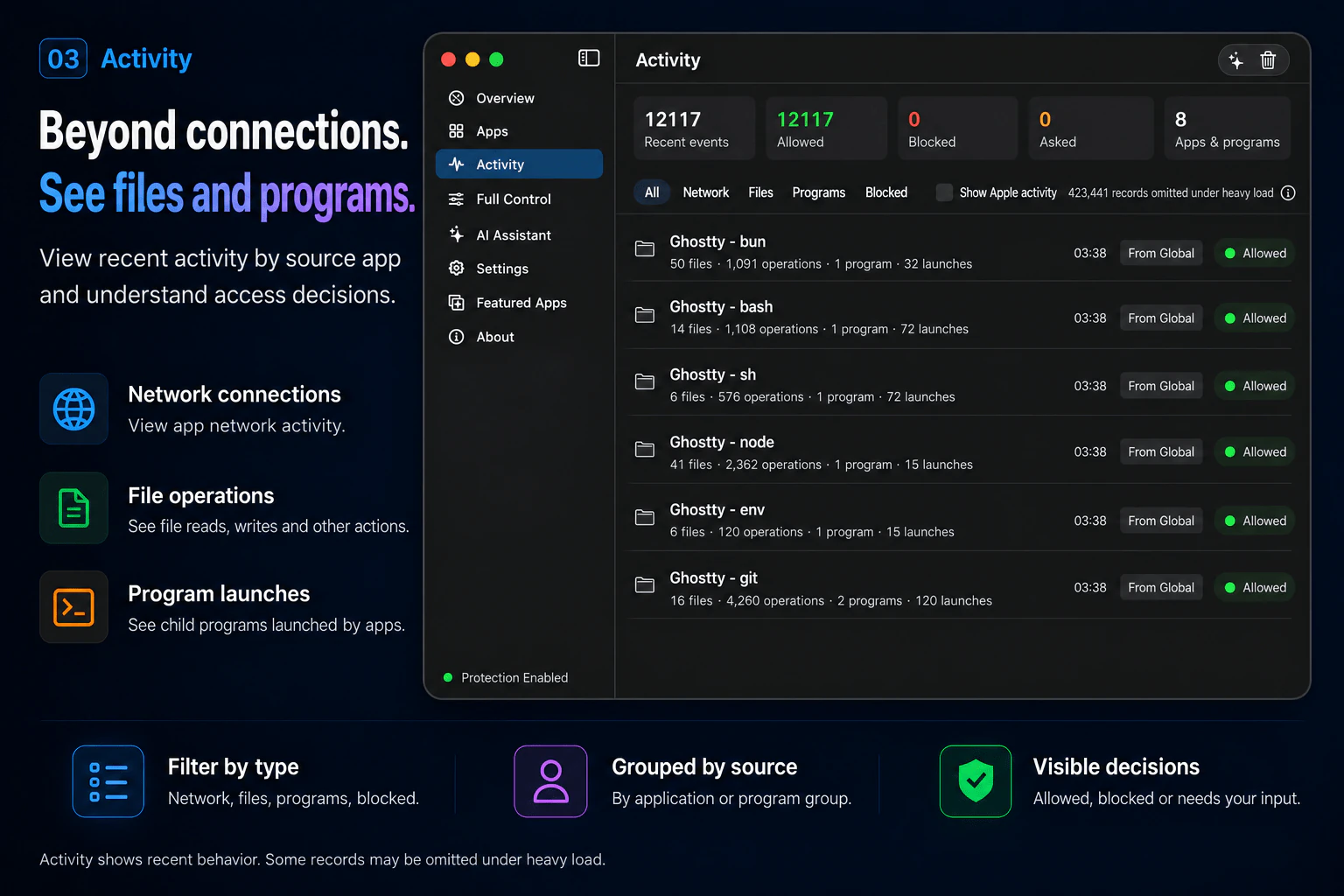
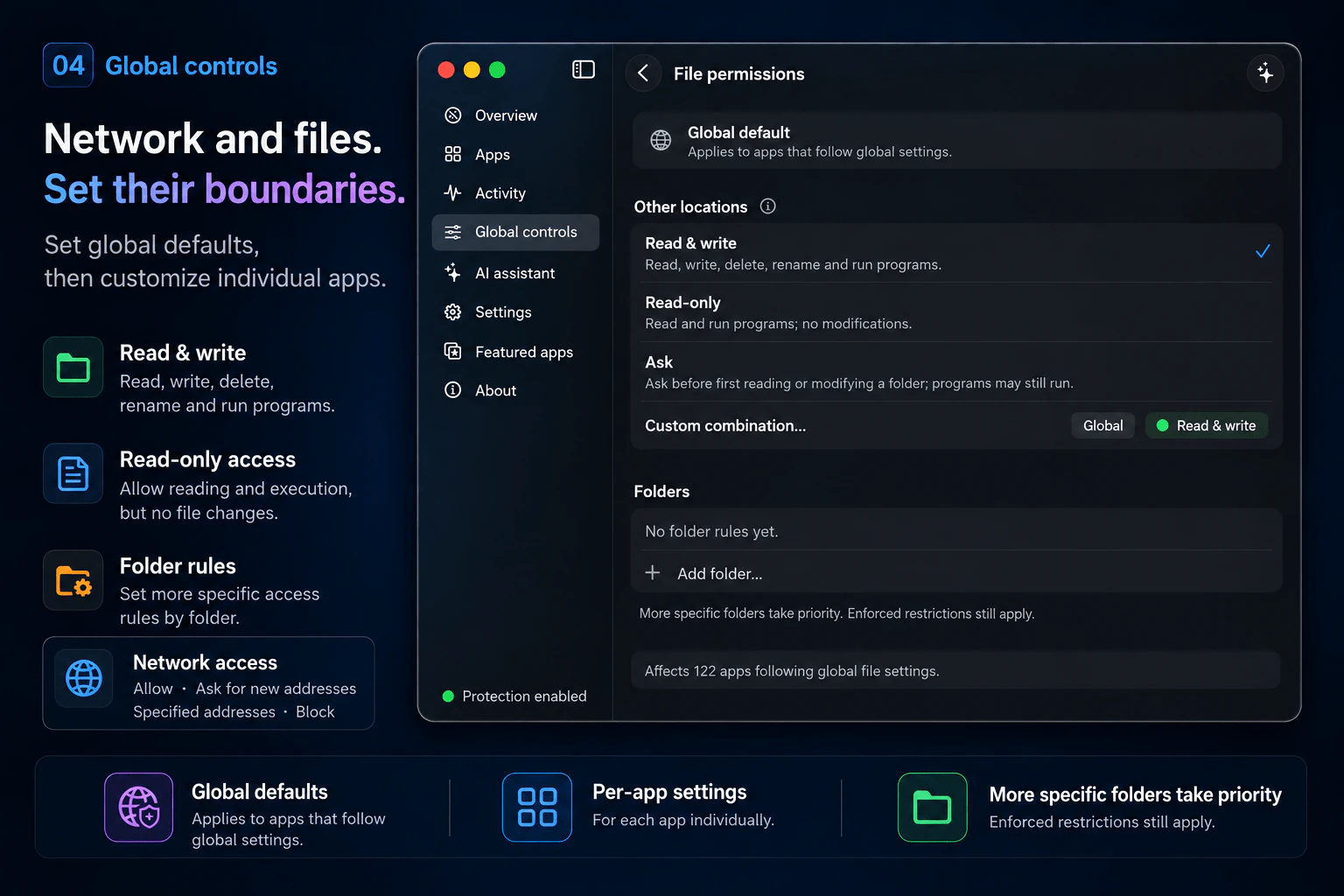
Set global defaults and customize individual apps. File access supports read and write, read-only, prompts and folder-specific rules.
Read-only allows reading and running programs, but not modifying files. More specific folder rules take priority, while enforced restrictions still apply.
Use available app information and activity to explain potential risk signals and offer suggestions.
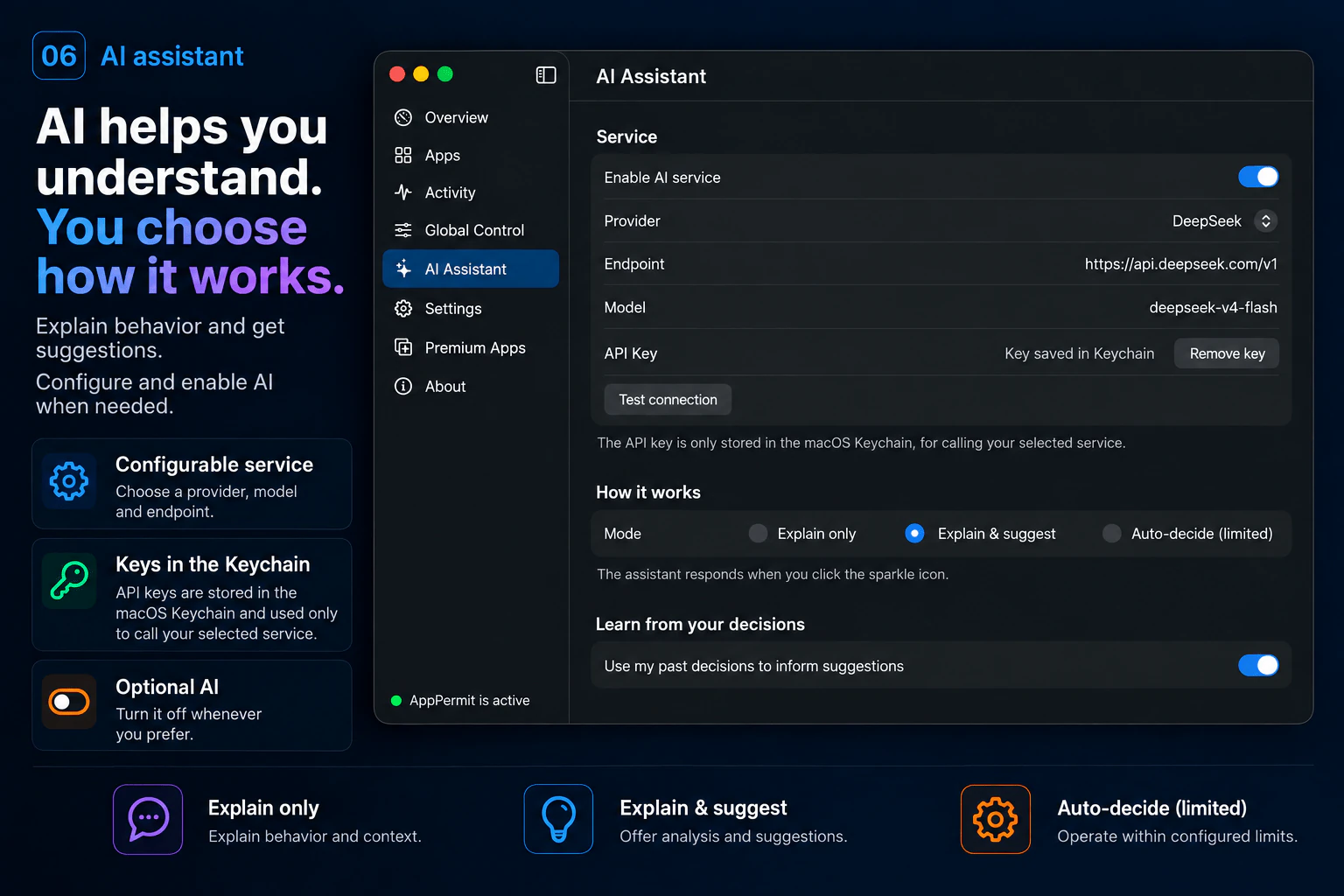
Configure a provider and model, then enable AI when needed. Choose explanation only, explanations with suggestions, or limited automatic decisions.
API keys are stored in the macOS Keychain and used only to call your selected service.
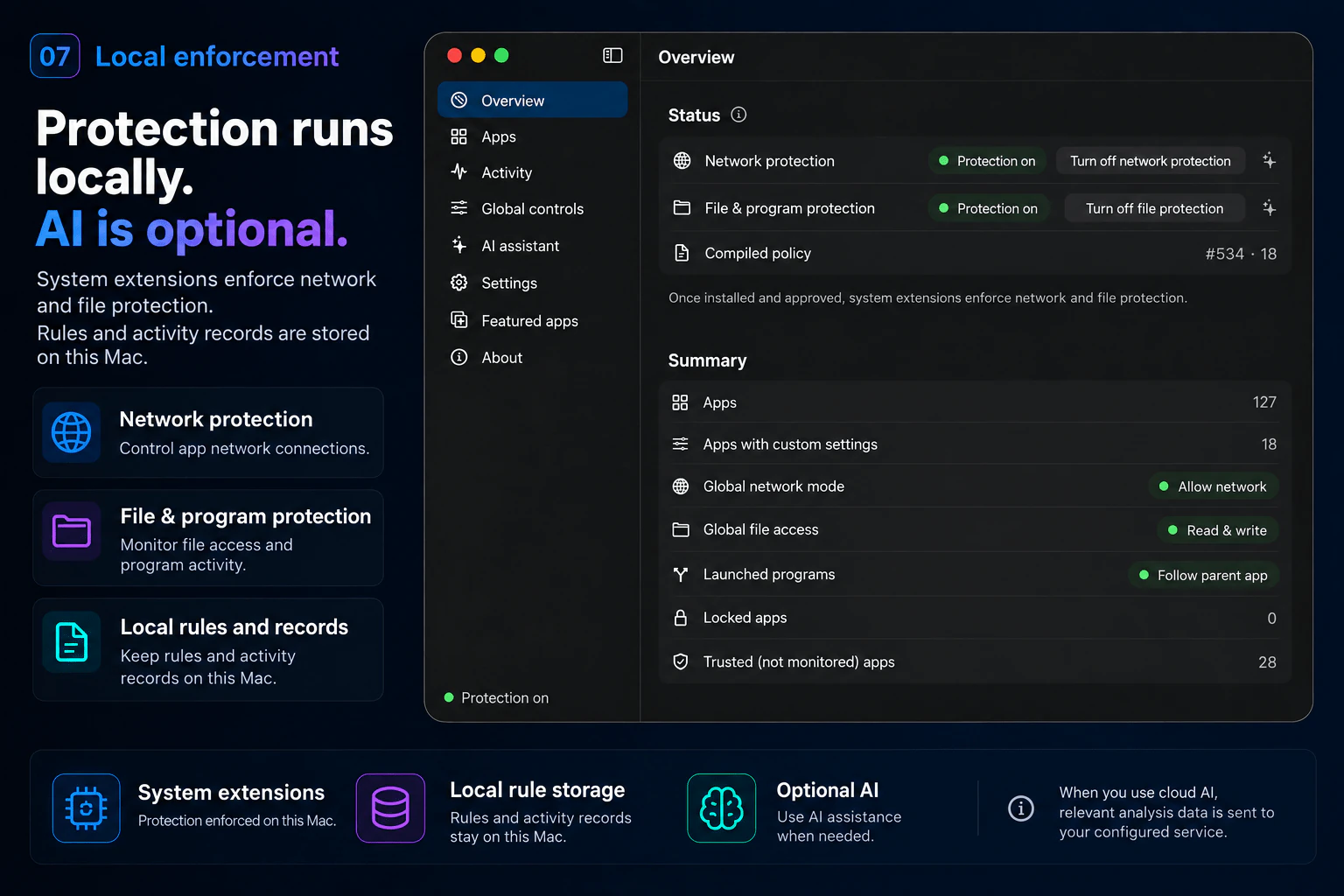
System extensions enforce network and file protection on your Mac. Rules and activity records are stored locally, and protection continues with AI turned off.
When you use cloud AI, relevant analysis data is sent to your configured service.
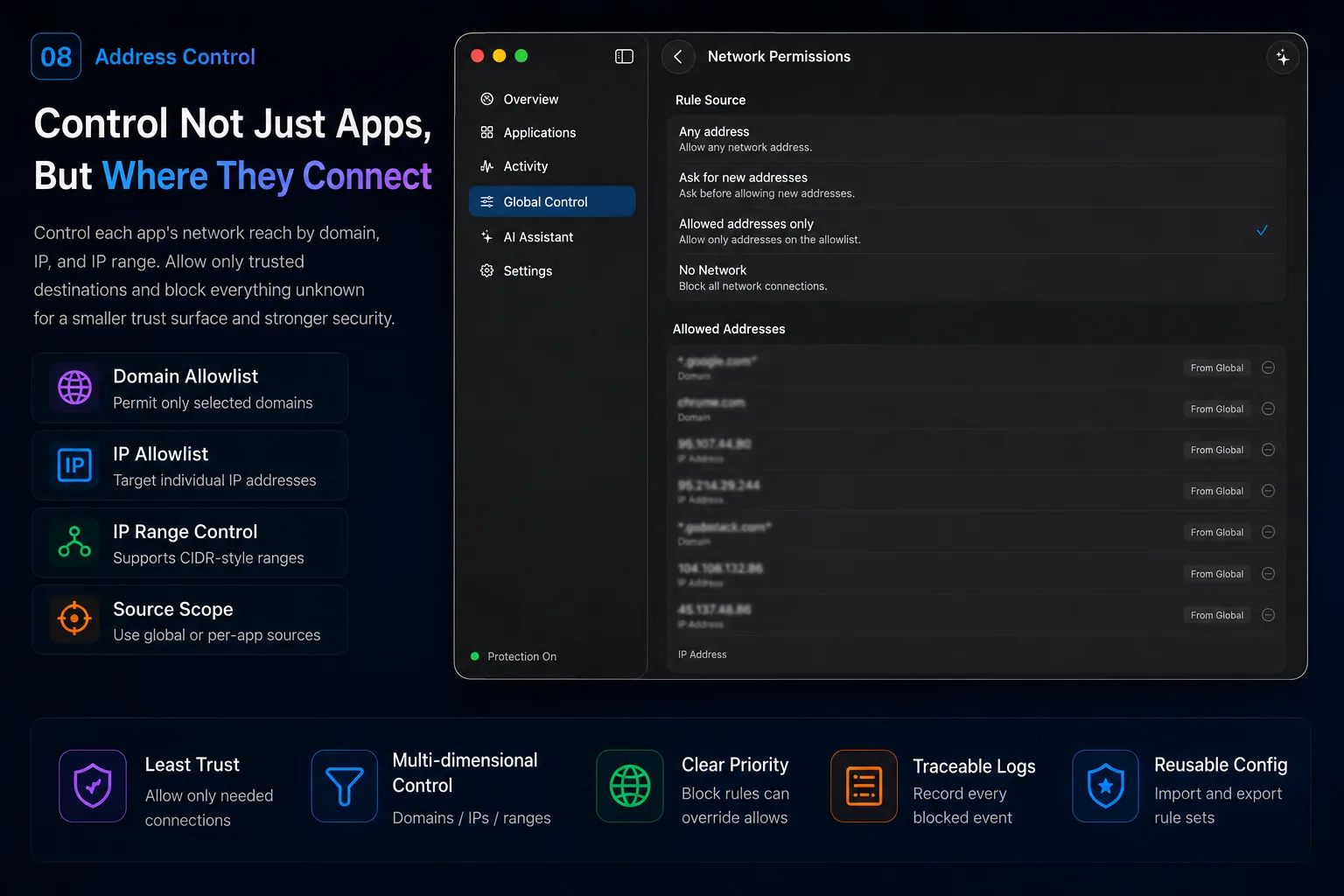
Allowlists by domain, IP, and CIDR range — only trusted destinations get through.
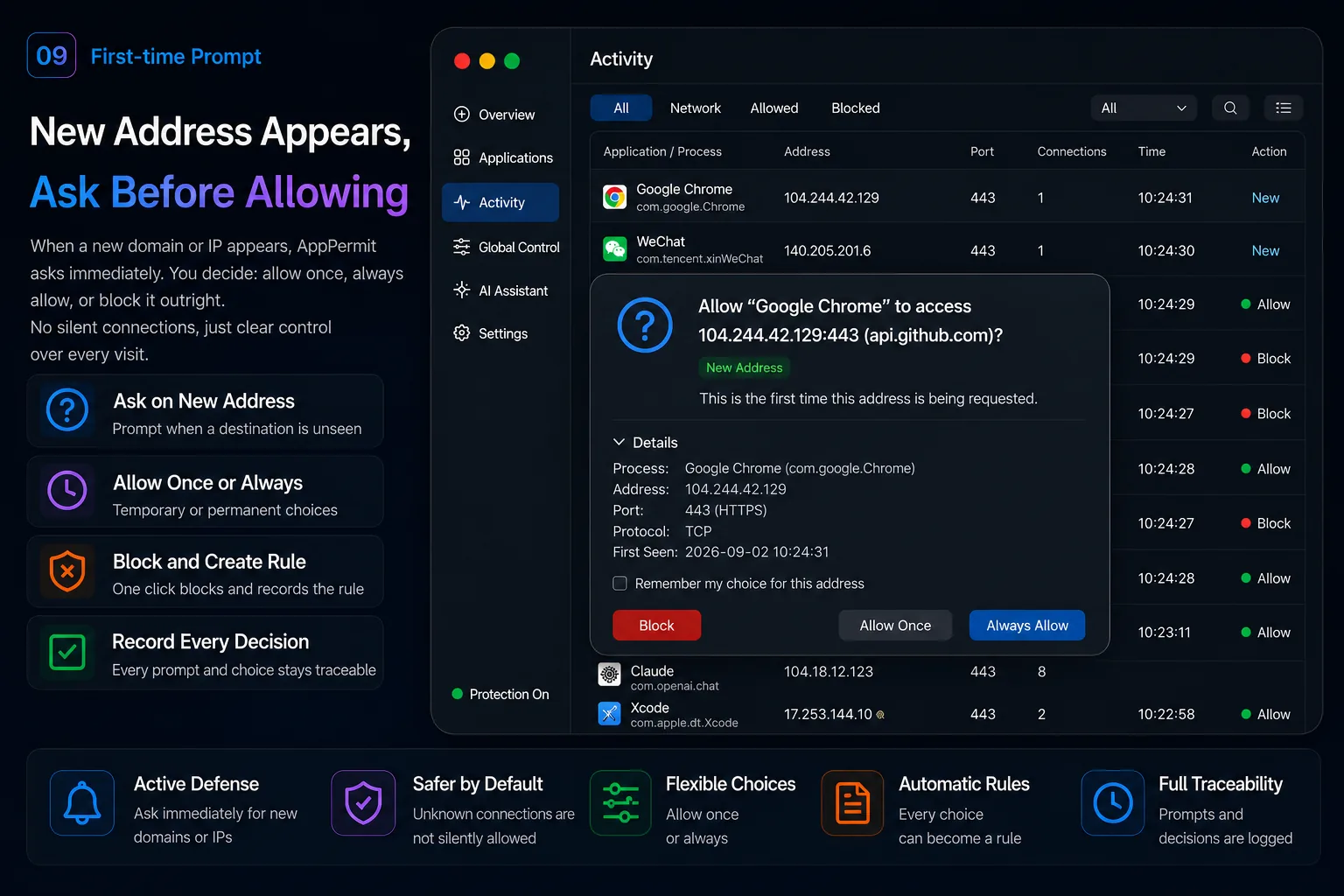
With “Ask for new addresses” enabled, new destinations are handled according to your prompt settings: allow once, always allow, or block.
The System Extension enforces on this Mac in real time, even offline.
Every rule lives on your Mac only — never uploaded or synced to a cloud.
Activity records are stored on this Mac to help you review recent app behavior.
Off until you configure it — the firewall works fine without it.
API keys are stored in the macOS Keychain and used only to call your selected service.
Configure the AI service and working mode to suit your needs.
See where your IDE, CLIs, and dependency tools actually connect.
Understand what ChatGPT, Claude Code, and local model tools reach for.
Stop unknown apps from phoning home in the background.
Fine-grained rules by app, domain, IP, and IP range.
Try everything for 7 days. Annual pass or lifetime — never an auto-renewing subscription.
Current version 1.2.0 · Updates arrive in-app
Download for macOS (.dmg)Find the app in the Apps list and choose “No Network”, or use “Allowed Addresses Only” to permit just the domains and IPs you trust. Rules are enforced on your Mac by the system extension.
All three are outbound firewalls for macOS. Beyond network rules by app, domain and IP, AppPermit also manages file access (read & write, read-only, ask, folder rules) and the programs an app launches, with optional AI explanations. There is a 7-day free trial, so you can compare directly.
Yes. Activity shows recent network connections, file operations and program launches grouped by source app, along with their access decisions. Some records may be omitted under heavy load.
Yes. It requires macOS 14 or later, is built for Apple Silicon and also supports Intel Macs.
Everything is unlocked for 7 days after installation, no sign-up needed. After that a license key is required to continue.
No auto-renewal. Choose an annual pass ($14.99, one-time payment for one year — it simply expires, no charge) or a lifetime license ($29.99 one-time; updates included, no recurring charges).
One license covers one Mac. Moving to a new machine? Email us with your license key or order ID and we'll release the old device, then activate on the new Mac.
macOS requires network filtering and file/program protection to go through system extensions — Apple's official mechanism for this kind of app. You approve them in System Settings and can disable or remove them at any time.
With a compatible local proxy core such as mihomo, AppPermit can attribute connections to their source apps and enforce blocking rules. Setup is required, and some advanced modes have limitations.
No. Connection decisions, rules and activity records stay on your Mac. Only when AI analysis is used is relevant analysis data (such as host name, port and app identity — never file contents or keys) sent to the AI service you configured.
Yes — no-questions-asked refunds within 14 days of purchase. Email us with your order ID; see the refund policy.
 AppPermit