The screenshot is just the beginning.

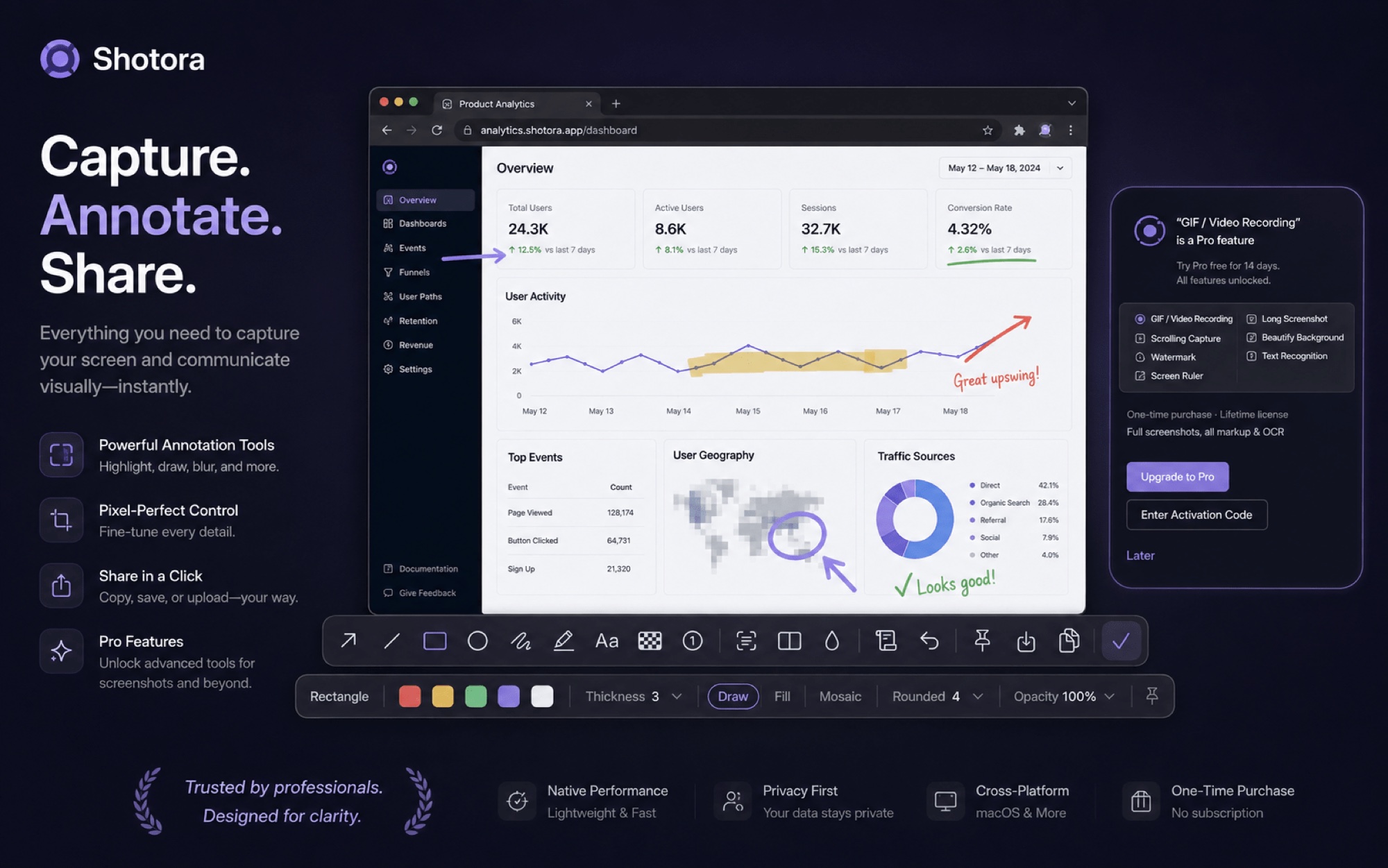
An AI-powered native screenshot tool for macOS: capture, annotate, scroll-capture, record GIF/MP4, OCR, translate and beautify — one tool for your entire screenshot workflow.
Download Free
macOS 14+ · Free forever · 14-day Pro trial · One-time purchase
Smart captureAnnotations GIF / MP4Scrolling capture OCRAI translate BeautifyWatermarkTemplatesTimed capturePin Color pickerMeasureHistory
Shotora screenshot tool for Mac: smart capture, AI annotation and beautify
ANNOTATIONS

Capture it, then make it clear

Arrows, text, badges, highlighter, shapes, mosaic and blur — this is the actual toolbar you see after capturing. The property bar follows the selected tool.

Shotora annotation toolbar: arrows, text, badges, mosaic and blur
Smart window pickingNumbered badges Mosaic / blurStyle memory Number keys for colors
SCROLLING CAPTURE

Too long for one screen? Scroll and capture it all

Web pages, chat threads, code files — auto-scrolled and stitched into one seamless long screenshot.
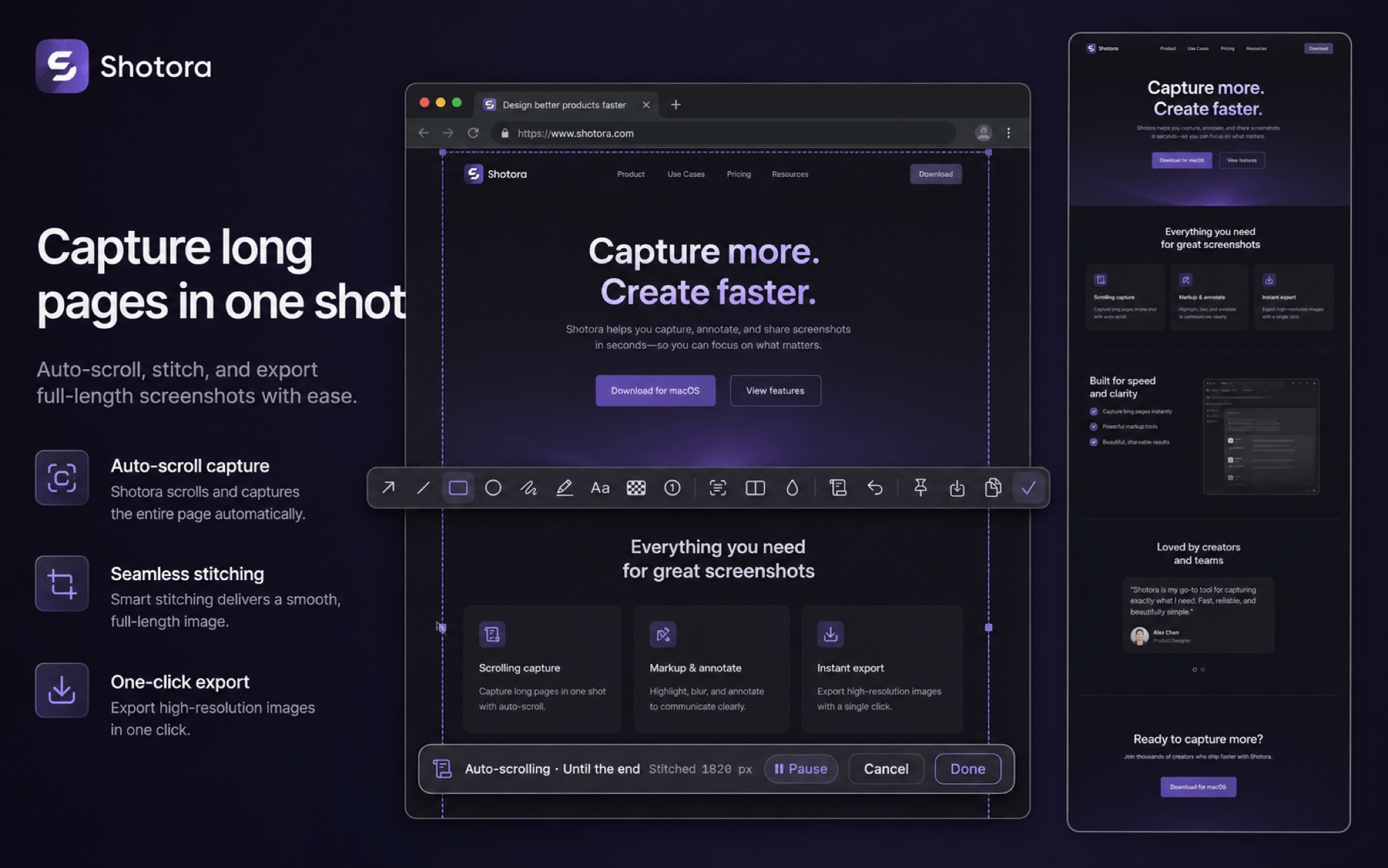
Scrolling screenshot on macOS: web pages and chats stitched automatically
BEAUTIFY · WATERMARK

One click to a share-ready shot

Rounded corners, shadow and gradient backdrop in one step — plus watermark templates for social posts and docs.
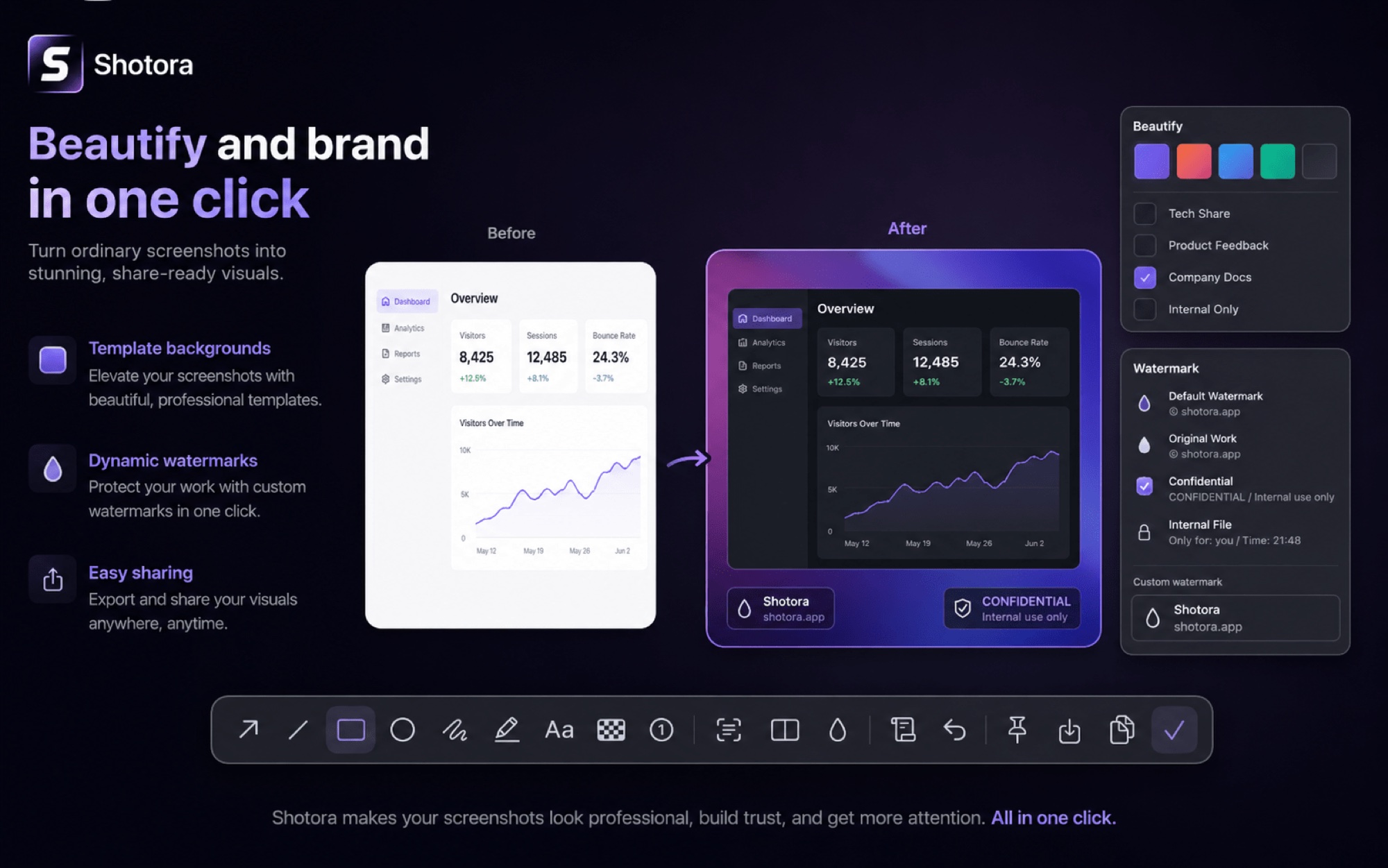
One-click screenshot beautify with backgrounds and watermark templates
AI

AI-powered: OCR · Dictionary · Translate

A screenshot is more than pixels — extract text, look up words and translate instantly. AI turns everything on your screen into usable content.
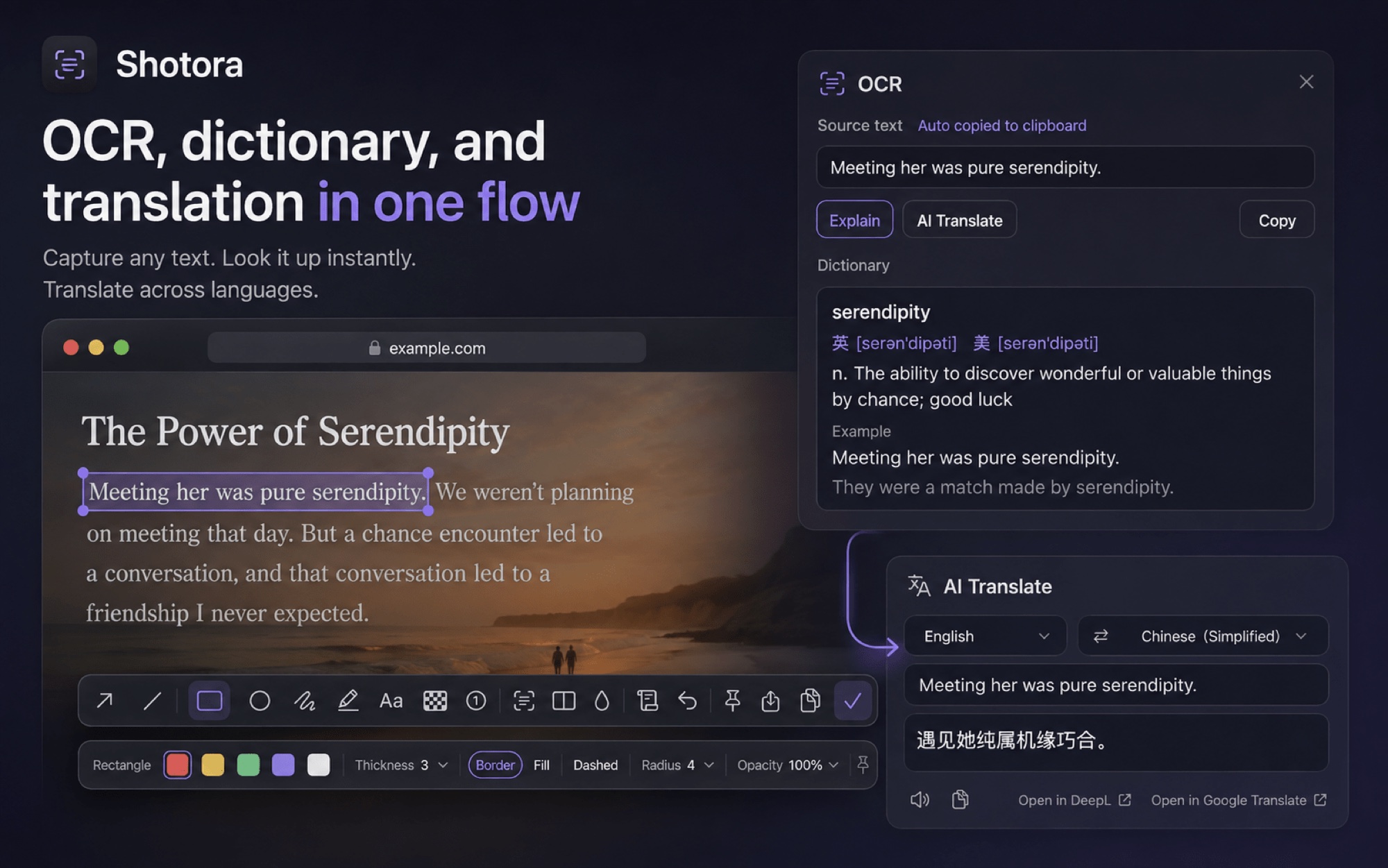
AI screenshot features: OCR text recognition, dictionary and instant translation

OCR

Frame uncopyable text and extract it instantly, straight to your clipboard.

Dictionary

Single words get phonetics, part of speech, senses and examples.

Translate

Select text in any app and hit ⌥D — translated without copy-paste.

GIF / MP4 RECORDING

Lightweight recording, GIF and MP4

Record any region and export ready-to-use files — tutorials, bug reports and animated posts in one pass.
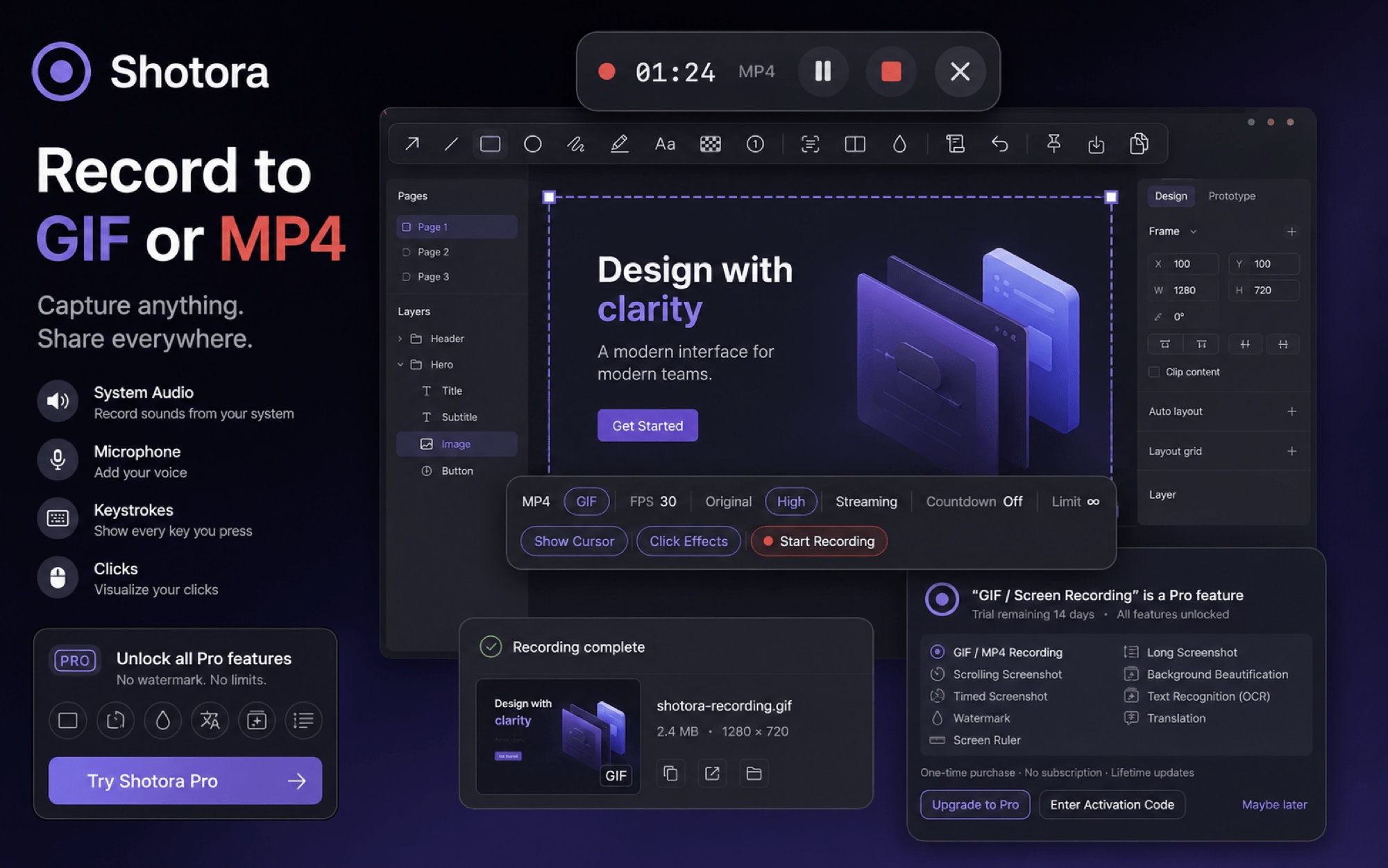
Screen recording on macOS: GIF and MP4 region capture
UTILITIES

Beyond capture: handy little tools

No more hunting for separate utilities while designing or coding.

📌

Pin

Keep screenshots always on top while you work; click-through supported.

🎨

Color picker

Magnifier-precise picking, copy HEX in one click.

📏

Screen ruler

Snaps to UI elements to measure dimensions and spacing fast.

And more

Capture

  • Area capture
  • Window capture
  • Fullscreen
  • Timed capture
  • Scrolling capture

Annotate

  • Arrows / lines / shapes
  • Text / badges
  • Pen / highlighter
  • Mosaic / blur
  • Styles remembered

Productivity

  • Pin / picker / ruler
  • Custom global hotkeys
  • Single-key actions
  • History
  • Templates & watermarks

Free

Free forever
  • Area / window / fullscreen
  • Full annotations · mosaic
  • OCR text recognition
  • Pin · color picker
  • Hotkeys · history
Download Free

Pro

$9.99 one-time
  • GIF / MP4 recording
  • Scrolling & timed capture
  • Beautify · watermarks
  • Selection translate · ruler
  • Future updates included

$9.99, pay once

No subscription. No forced login.
Future updates included.

14-day full trial14-day refund Offline activationMultiple personal Macs

FAQ

Is the free tier free forever?

Yes. Capture, annotation, OCR, pinning and color picking stay free forever, with no usage limits.

Is Pro a subscription?

No. $9.99 one-time; future updates are included at no extra cost.

How many devices can I use it on?

One license covers your personal Macs; remove the key on the old device to activate a new one.

Do you offer refunds?

Yes — within 14 days of purchase, no questions asked. Email us with your order number; see the refund policy.

Are my screenshots uploaded?

No. All screenshots and recordings stay on your Mac. Only text you actively translate is sent to the translation service.

Which permissions are required?

Screen Recording for capture; Microphone for recorded audio; Accessibility for selection translate — guided on first use.